How to Use the DeFi Yields Dashboard
A step-by-step guide to finding, filtering, and comparing yield opportunities across DeFi protocols using the Decentralise.com Yields tool.
The DeFi Yields dashboard on Decentralise.com is a powerful aggregator that collects yield data from over 22,000 pools across multiple blockchains and protocols. Whether you're looking for stablecoin lending rates, liquid staking returns, or liquidity pool rewards, this tool helps you compare opportunities in one place — without needing to visit dozens of different protocol websites.
This guide walks you through every feature of the dashboard so you can confidently navigate it and find yield opportunities that match your goals.
What You'll See When You Open the Dashboard
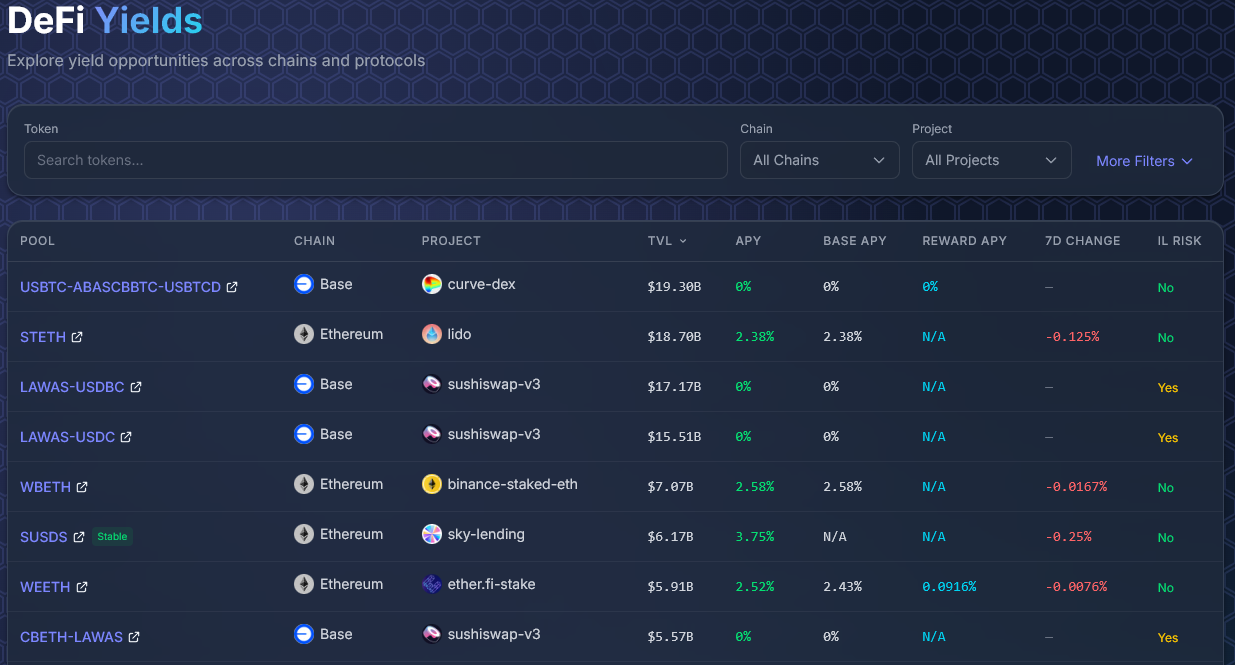
When you visit the DeFi Yields page, you're presented with a table of yield pools sorted by Total Value Locked (TVL) — the amount of capital currently deposited in each pool. Each row in the table represents a single yield opportunity and contains several key data points:
Each row also contains an "Open in protocol" link that takes you directly to the relevant page on the protocol's own website, so you can deposit or interact with the pool.
Step 1: Search by Token
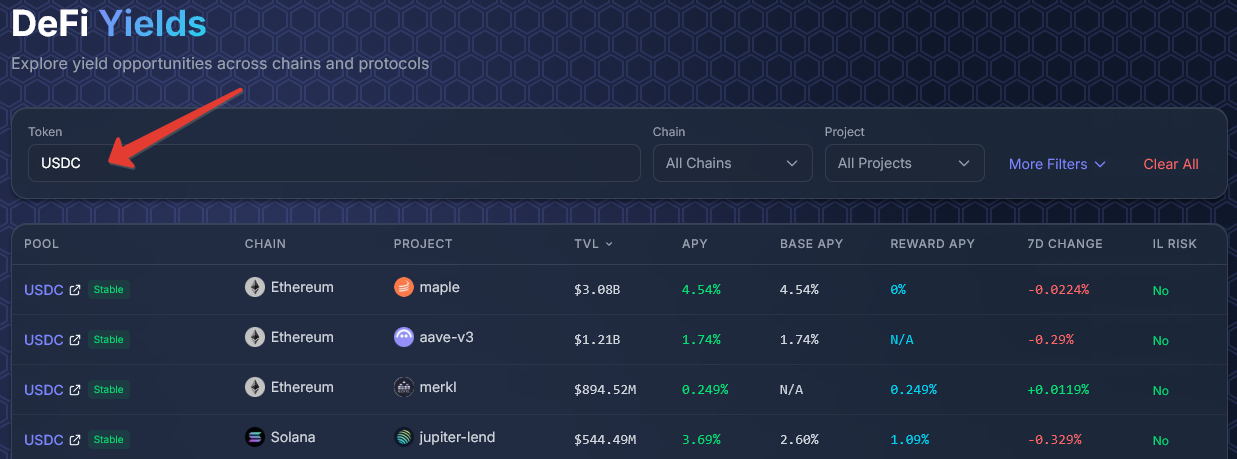
At the top of the dashboard, you'll find a search field labeled "Search tokens...". Type the name or ticker of any token you're interested in — for example, `USDC`, `ETH`, or `SOL` — and the table will instantly filter to show only pools involving that token.
This is the fastest way to answer the question: "Where can I earn yield on my USDC?" or "What are the best staking options for ETH?"
Step 2: Filter by Chain
Next to the search field, you'll see a Chain dropdown set to "All Chains" by default. Click it to select a specific blockchain. This is useful if you already have assets on a particular network and don't want to bridge them elsewhere.
For example, if your funds are on Solana, selecting the Solana chain filter will show you only Solana-based yield opportunities — like JitoSOL liquid staking or Solana lending markets.
Step 3: Filter by Project
The Project dropdown lets you narrow results to a specific DeFi protocol. If you already trust a particular project — say Aave, Lido, or Maple — you can filter the entire table to show only their pools.
This is also helpful for comparing what a single protocol offers across different tokens and chains.
Step 4: Use Advanced Filters

Click the "More Filters" button to reveal additional filtering options:
To collapse the advanced filters, click "Less Filters".
Step 5: Sort the Table
Click any column header in the table to sort by that metric. For example:
Sorting by APY is the most common approach when searching for the best rates, but always cross-reference with TVL and project reputation before committing funds.
Step 6: Explore a Pool's Detail Page
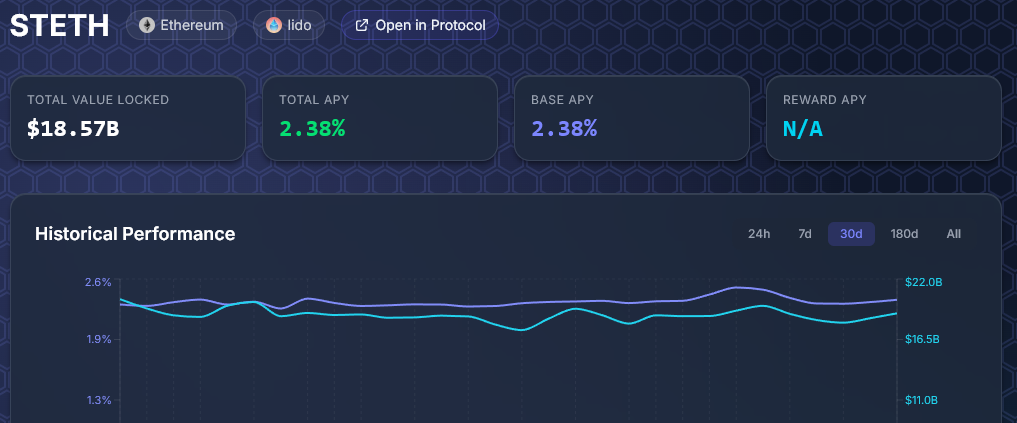
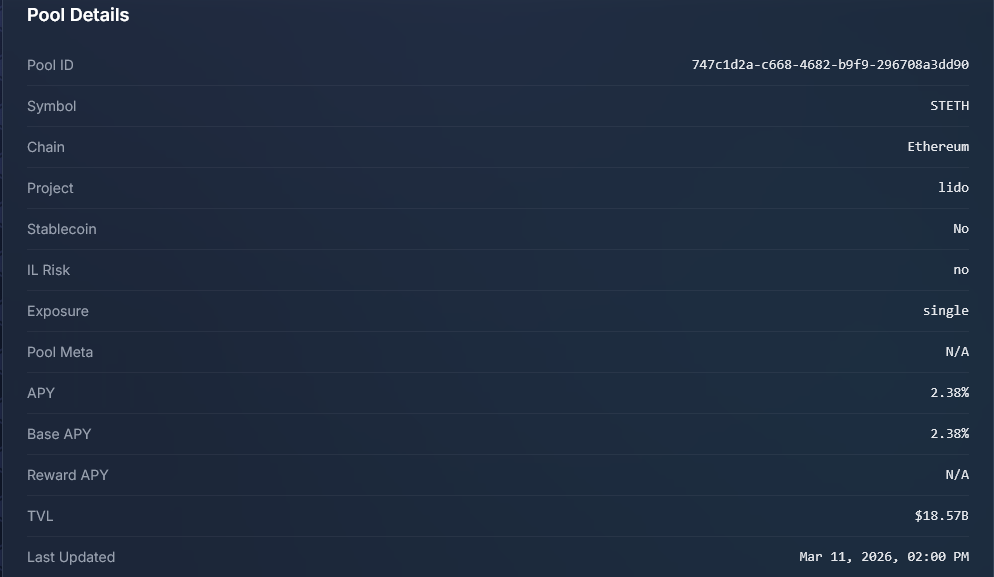
Click on any row in the table to open that pool's detail page. Here you'll find:
The historical chart is particularly valuable. A pool showing 10% APY today might have averaged 2% over the past month — the chart reveals these patterns.
Step 7: Adjust Pagination
At the bottom of the table, you can control how many results appear per page using the dropdown (10, 25, 50, or 100). With over 22,000 pools available, increasing the per-page count helps when browsing broadly, while smaller counts keep things focused when using filters.
Use the page navigation buttons to move through results.
Practical Tips for Beginners
Start with stablecoins. If you're new to DeFi yields, begin by filtering for stablecoin pools with no IL risk. Stablecoin lending on established protocols like Aave or Maple offers relatively predictable returns without exposure to token price volatility.
Watch the TVL. Pools with very low TVL (under $1M) may carry higher risk — less liquidity means harder exits and potentially less battle-tested smart contracts. Use the Min TVL filter to set a comfortable threshold.
Check the 7d Change. A high APY that dropped significantly in the past week might be a promotional rate that's expiring. Conversely, rising APYs might signal increased demand for a particular pool.
Understand IL Risk. Pools marked "Yes" for IL Risk involve providing liquidity to a token pair. If the prices of those tokens diverge significantly, you could end up with less value than if you'd simply held the tokens. Single-asset pools (staking, lending) marked "No" don't carry this risk.
Use "Open in Protocol" wisely. The dashboard is a research tool — it aggregates data but doesn't handle deposits directly. When you find an opportunity you like, the "Open in Protocol" link takes you to the actual DeFi application where you'll connect your wallet and make transactions.
Compare before committing. The dashboard's strength is comparison. Don't jump at the first high APY you see. Filter, sort, and check detail pages to find opportunities that balance yield, risk, and reliability.
Summary
The DeFi Yields dashboard gives you a bird's-eye view of the entire DeFi yield landscape. By combining token search, chain and project filters, advanced criteria like minimum TVL and stablecoin preferences, and detailed pool pages with historical charts — you can make informed decisions about where to put your capital to work.
Explore the dashboard at Decentralise.com/defi-yields and start comparing opportunities today.